
Data silos
Five tools. Five truths. One plan that ends the argument.
Turn it into one client plan — then prove how it performed.
54% of CMOs say connecting data from different sources is a major barrier.
One-third of CMOs rely on 5 to 15 tools to measure ROI.
78% of marketing decision-makers believe at least 10% of spend is wasted.
Sources: Haus 2026 / eMarketer; DemandScience 2026; Treasure Data; DoubleVerify 2025; Gallup.
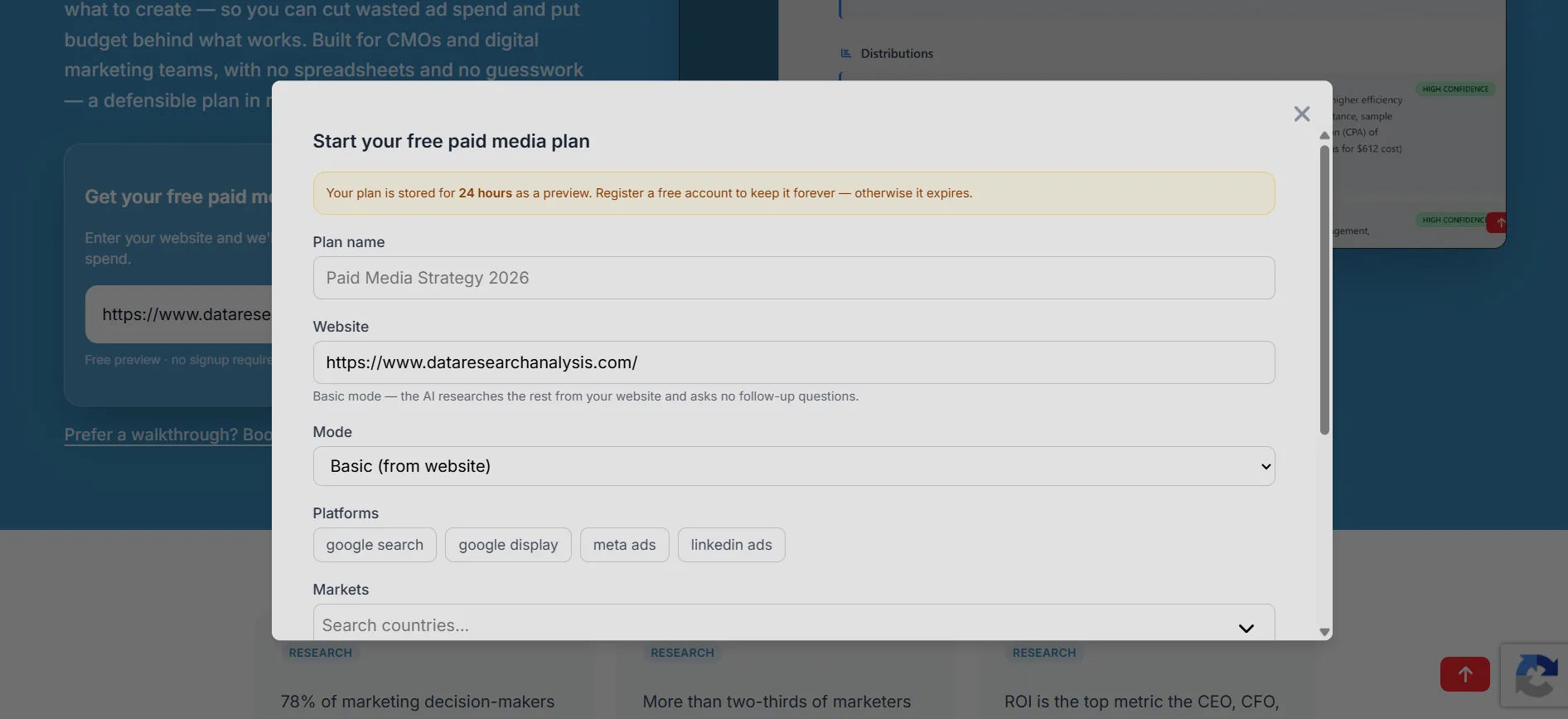
- Point Data Research Analysis at your website for a channel-by-channel plan — where to spend, how much, and what to create.
- Connect Google Ads, Meta, Analytics, and Ad Manager to track plan campaigns live.
- See spend-to-results per channel and cut what doesn't pay back.
Your client's data is in five tools. None of them agree.
Three ways your tools are working against you — and how DRA unifies them behind one plan.
Data Silo Chaos
Google Ads lives in one dashboard, GA4 in another, Google Ad Manager in a third, your CRM in a fourth. Assembling the full picture requires exporting, joining, and manually reconciling spreadsheets.
Incompatible Attribution
Every platform uses its own attribution model. Google Ads claims last-click credit. Meta Ads claims assisted conversion. GA4 uses data-driven. None of them agree — so none of them are actionable.
Tool Overhead Costs
Paying for 5+ tools that don't talk to each other, plus the hours to maintain them. 54% of CMOs say connecting data from different sources is a major barrier — not an enabler.
How DRA Turns the Mess into One Plan
Plan every channel. Track every result. End the guessing.
AI Paid Media Plan Builder
Point Data Research Analysis at your website. It builds the channel-by-channel plan — no more deciding in the dark.
Channel-by-Channel Budgets
See recommended spend per channel with targets, so the plan decides where the money goes.
One-Click Channel Tracking
Connect Google Ads, Meta, Analytics, and Ad Manager via OAuth and track your plan's campaigns in one view.
Plan vs. Actuals
Compare what you planned with what each channel delivered. The argument ends with numbers.
Wasted-Spend Signals
AI flags channels and campaigns that underperform their targets so you can reallocate fast.
Built for Marketing Teams
Made for CMOs and digital marketing teams. Plans and answers in minutes — no engineering tickets.
Plan → Prove
The gap is real. The loop closes it: plan where to spend, then prove it worked.
You can't connect spend to revenue across five tools.
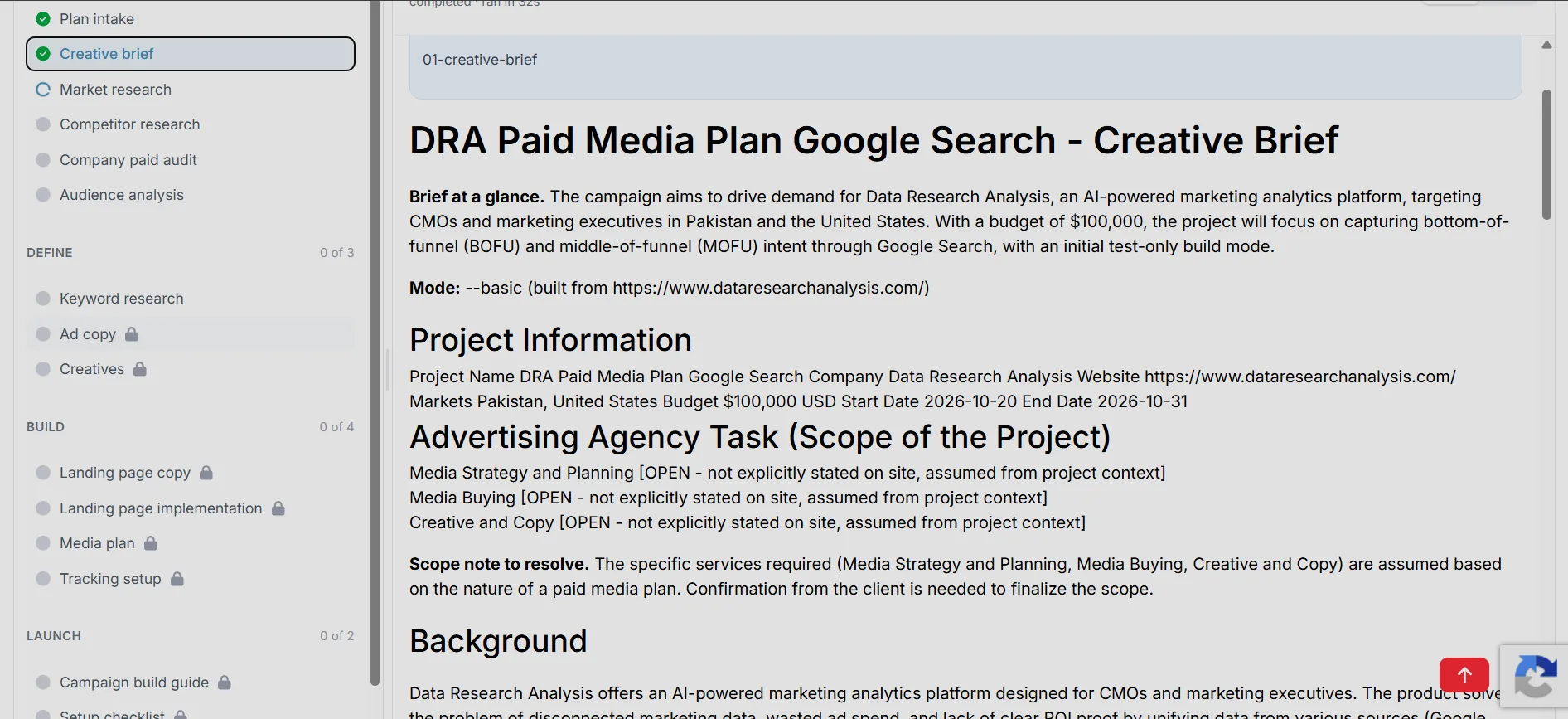
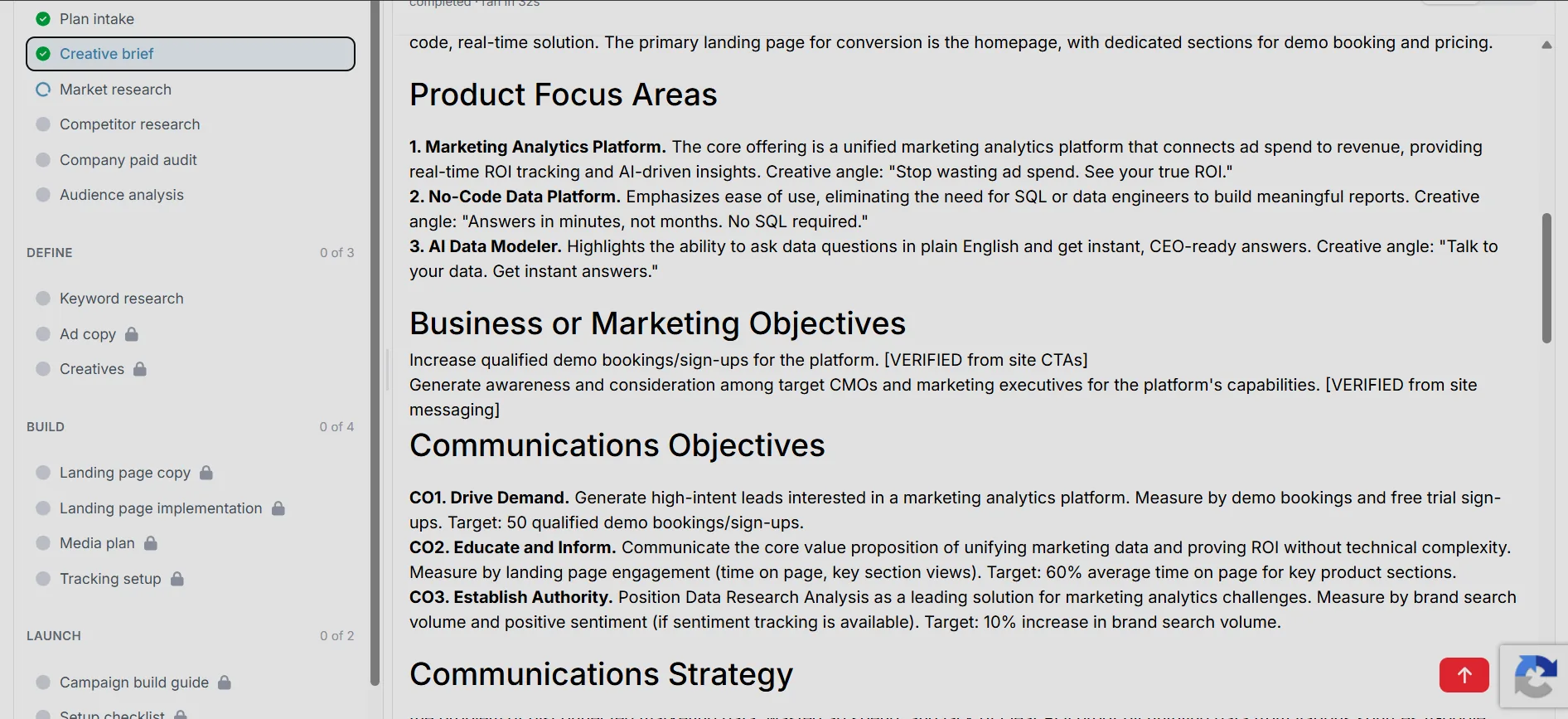
Turn your website and brief into a channel-by-channel plan — budgets, targets, and the creative playbook.
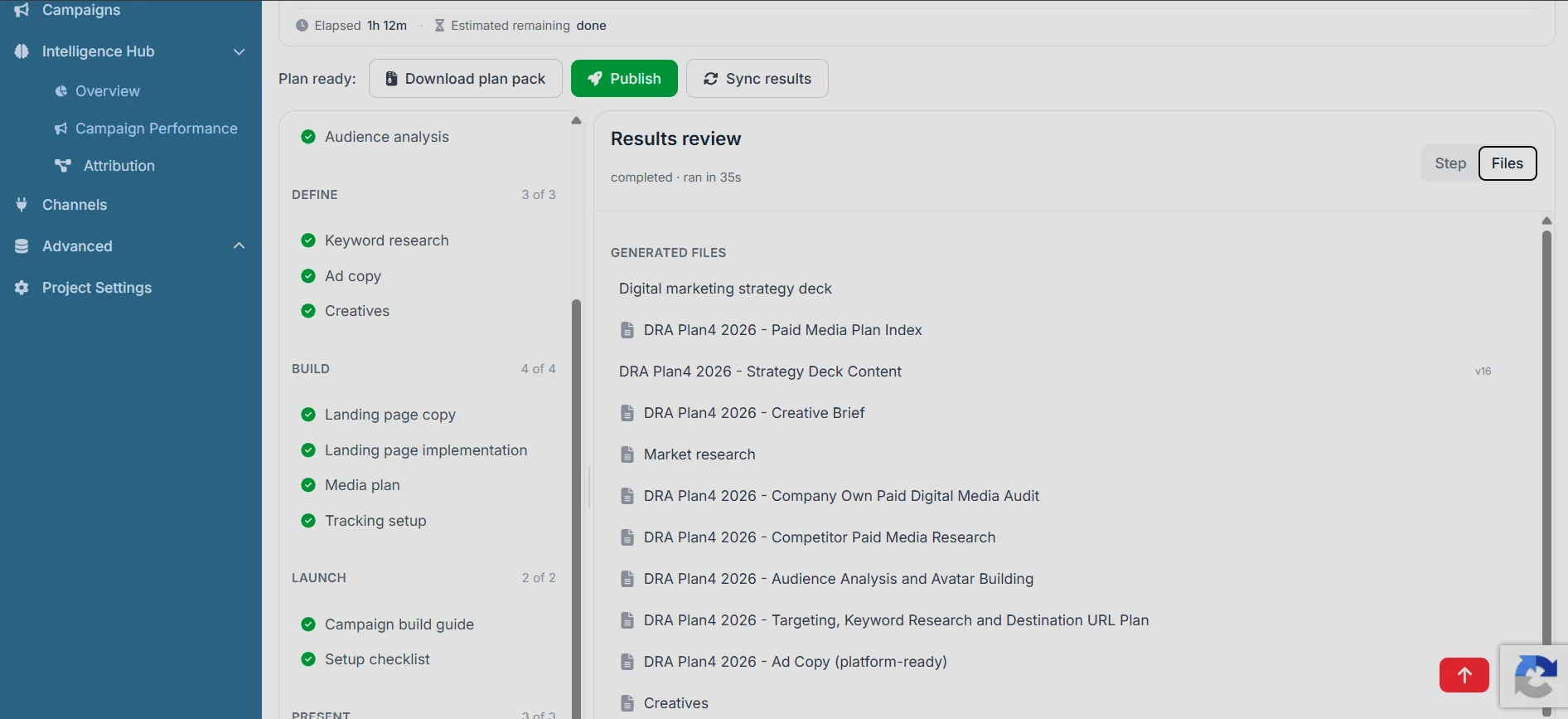
Connect your ad accounts, analytics, and data sources; track actuals against the plan and attribute revenue.
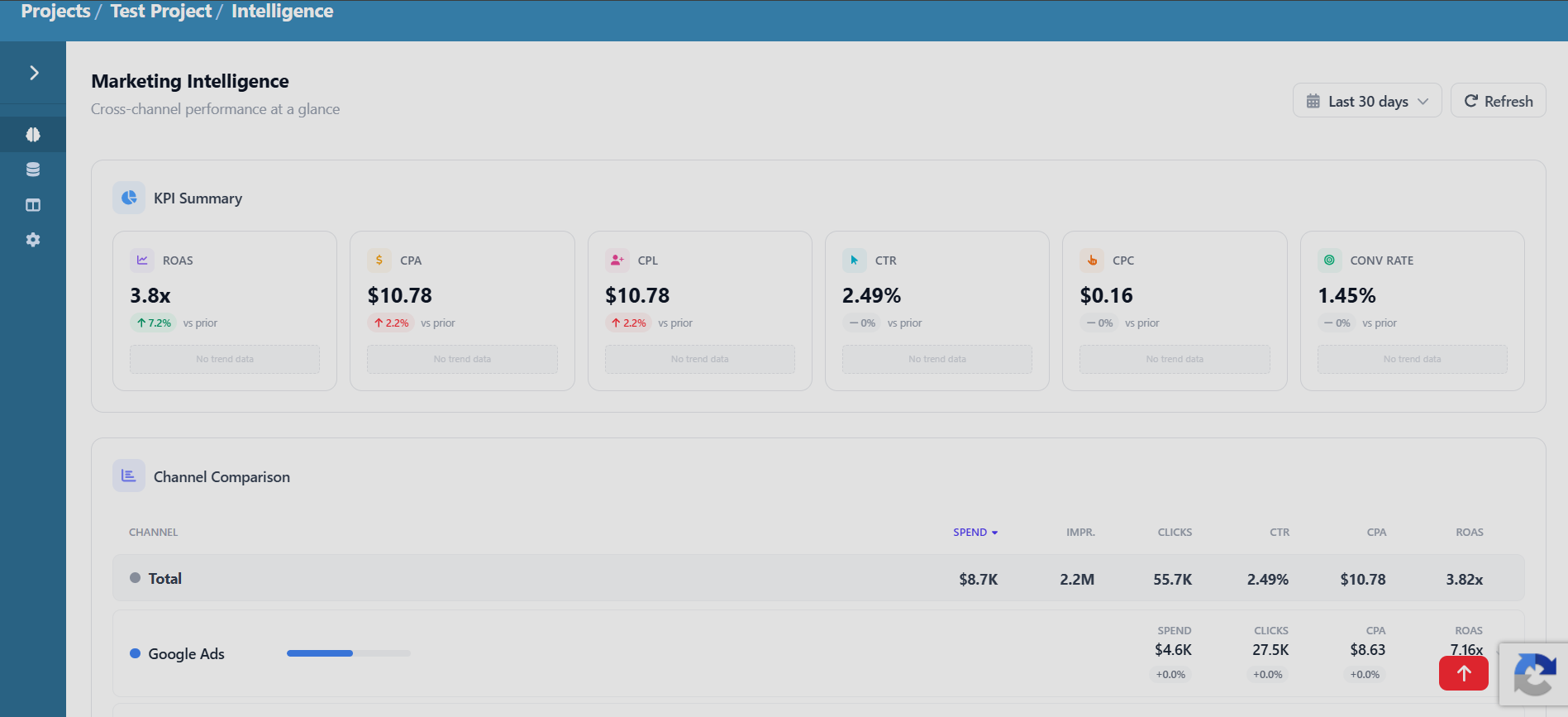
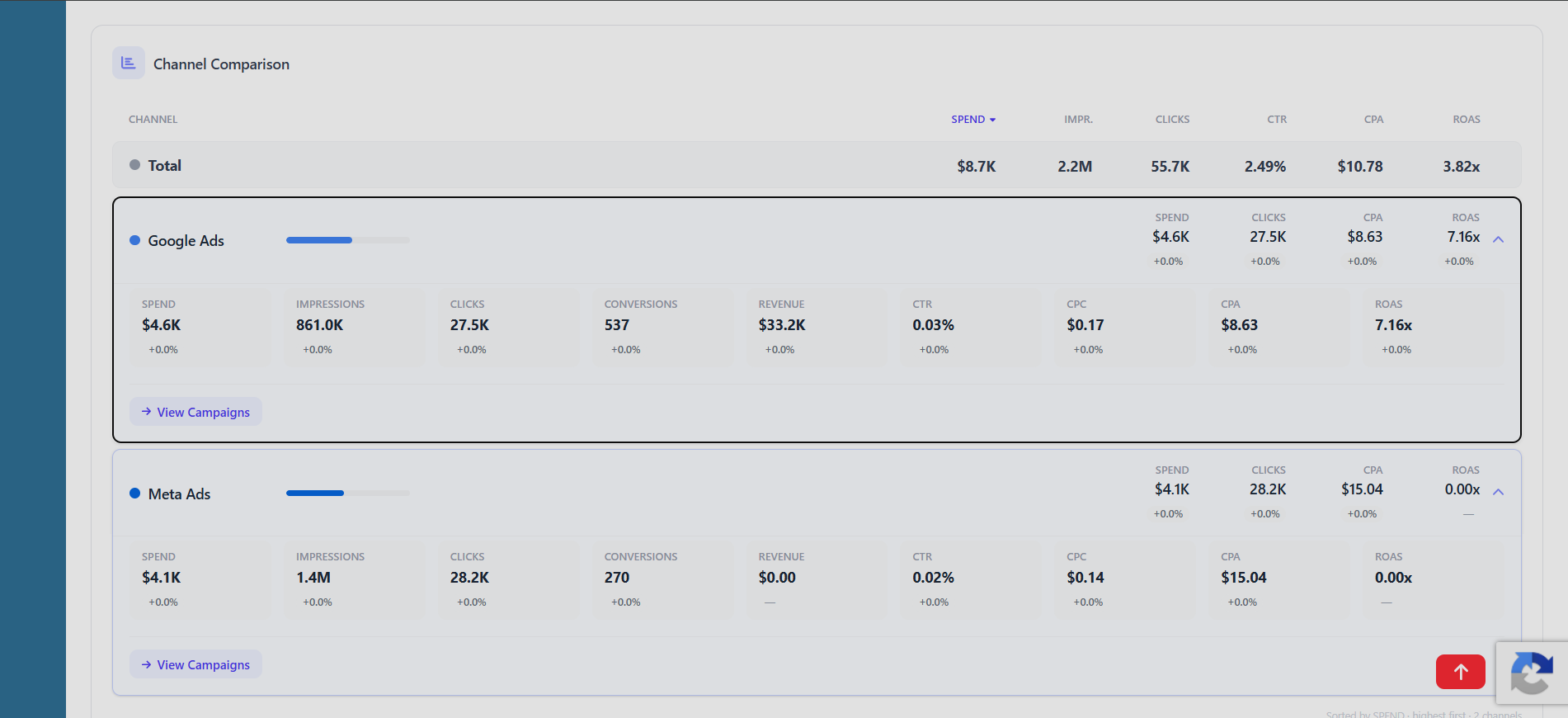
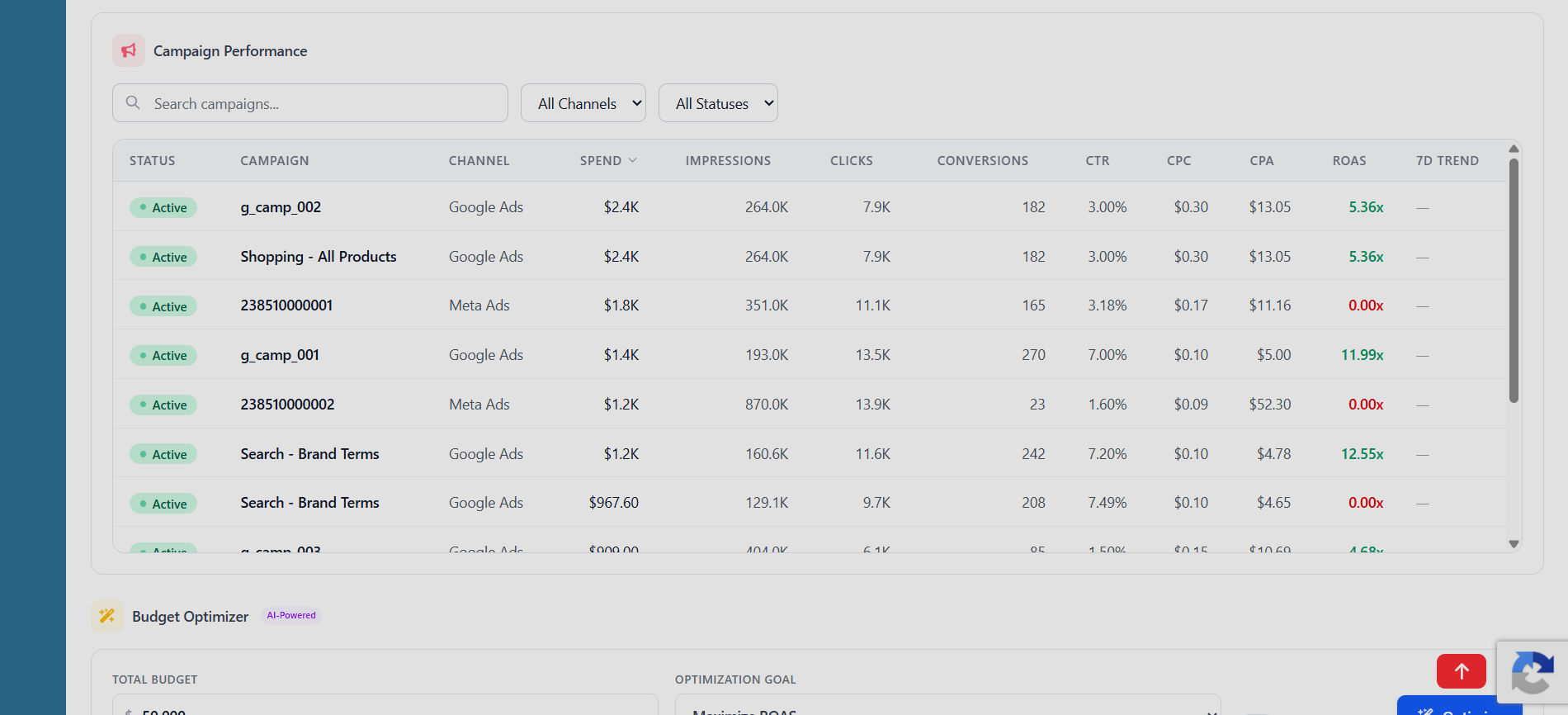
One Plan. Every Channel. One View.
DRA builds the channel-by-channel plan from your website, then tracks every plan campaign across Google Ads, Meta, Analytics, and Ad Manager. You stop opening ten tabs to answer "what worked?"
- Channel-by-channel plan from your website in minutes
- Live tracking of every plan campaign across channels
- Spend-to-results visibility per channel — no more 10 tabs
The Cost of Guessing
When tools don't talk to each other, budget follows gut feel instead of results.
Of marketing budget wasted on average
Of CMOs say connecting data is a major barrier
Tools one-third of CMOs rely on to measure ROI
Simple, Transparent Pricing
One product, every tool on every plan. Pay only for what your team actually runs.
See a sample client plan →Every plan includes
How many credits do you need?
Estimate your team's monthly AI usage. Credits are only consumed by AI-powered actions — data syncs, viewing and manual work are always free.
Paid media plan builds
500 credits each
Client deck (PPTX) exports
50 credits each
AI analyses
10 credits each
AI insights runs
5 credits each
Attribution model runs
25 credits each
Plan / model chat messages
2 credits each
Auto-generated dashboards
30 credits each
Estimated monthly credits
3,320
What actions cost
Credits are about 1 cent each; exact rates vary by plan and pack. You only pay when an action succeeds.
| Action | Credits |
|---|---|
| Paid media plan build (full plan, 18 steps) | 500 |
| Client presentation deck (PPTX) export | 50 |
| AI analysis (from your data models) | 10 |
| Attribution model run | 25 |
| AI insights run | 5 |
| AI report generation | 15 |
| Auto-generated dashboard | 30 |
| One-click AI data model generation | 20 |
| AI model analysis (by size) | 15 / 30 / 60 |
| Plan or model chat message | 2 |
| Web search grounding | 1 |
Prices are per deliverable. Large analyses scale by data size (×1/×2/×3).
Choose your plan
Save 20% with annual billing
Free
Try the whole product, no card required.
- 1,000 credits in your first month, then 500 credits every month
- Every feature — plan studio, AI analysis, data models, dashboards, reports, AI insights
- Unlimited team members
- Up to 50,000 rows per manual data model, with scheduled channel syncs
Pro
Credits for the whole team, scaled to your volume.
Billed annually — save 20% ($948/yr) · $98/mo billed monthly
- Everything in Free, with more credits
- Up to 5M rows per manual data model, with scheduled channel syncs
- Credits roll over month to month
- Extra packs from $9 — credits never expire
Enterprise
Custom deployment, onboarding, and support.
- Everything in Pro, scaled to your volume
- Unlimited rows per data model
- SAML 2.0 SSO (Okta, Azure AD, OneLogin, ADFS)
- SSO domain enforcement + JIT provisioning
- Private deployment options
- White-glove onboarding
- Custom feature development
- Direct engineering support
- 99.9% uptime SLA
- Custom SLA agreements
- Volume discounts
Frequently asked questions
What are credits?
Credits are the meter for AI-powered actions like building a paid media plan, running an AI analysis or exporting a client deck. Manual work, viewing data, connecting channels and syncs are always free.
What happens when I run out of credits?
Actions pause until you top up. Pro workspaces can buy credit packs ($9 / $40 / $70) that never expire, or increase their monthly Pro credits. On Free, upgrade to Pro to keep going. You are never billed for a failed action.
Do credits roll over?
Yes. Monthly Pro credits roll over to the next month, and purchased packs roll over indefinitely. Free plan credits reset at the end of each month.
Can I change my plan or cancel?
Anytime. Pro is billed monthly or annually and can be changed or cancelled from the billing page. See our refund and cancellation policies for details.
Frequently Asked Questions
How do I connect marketing spend to revenue?
Start with a plan. DRA builds a channel-by-channel paid media plan — where to spend, how much, and what to create — straight from your website. Then connect Google Ads, Meta, Google Analytics, and Google Ad Manager, and DRA tracks how those campaigns perform so every dollar is accounted for.
Why is my MarTech stack a barrier to alignment?
54% of CMOs say connecting data from different sources is a major barrier. Each tool reports its own numbers, so nobody can see which channels actually pay back. DRA solves this with one plan and one view of performance — no more juggling disconnected tools.
What is a GA4 alternative for marketing attribution?
DRA is purpose-built for paid media planning where GA4 falls short. It turns your website into a channel-by-channel plan with targets, then tracks campaign performance against that plan across Google Ads, Meta, Analytics, and Ad Manager — so you can see what drives revenue.
Why do BI tools fall short for marketing analytics?
BI tools visualize data but do not tell you where to spend. DRA is a paid media plan builder: it plans every channel, sets targets, and then tracks how those campaigns perform — so you improve spend instead of just looking at reports.
Official Partnerships & Verifications
Verifications & Programs
Data Research Analysis is a Meta Technology Provider, a LinkedIn Verified Business, and was selected for the Peachscore Accelerator — Cohort 36.
Technology Provider
Officially listed as a Meta Technology Provider, enabling verified access to the Meta Marketing API.
Verified Business
A LinkedIn Verified Business.

Accelerator Cohort 36
Selected for the Peach Score Accelerator — Cohort 36, a 12-month virtual programme supporting fast-growing companies.